1
/
of
6
Anmite 16-inch Portable Monitor 1080p HDR Touch
Anmite 16-inch Portable Monitor 1080p HDR Touch
Regular price
579.99 SAR
Regular price
0.00 SAR
Sale price
579.99 SAR
Taxes included.
Shipping calculated at checkout.
Quantity
Couldn't load pickup availability
Anmite 16-inch Portable Monitor — Touch or Non-Touch, Your Choice
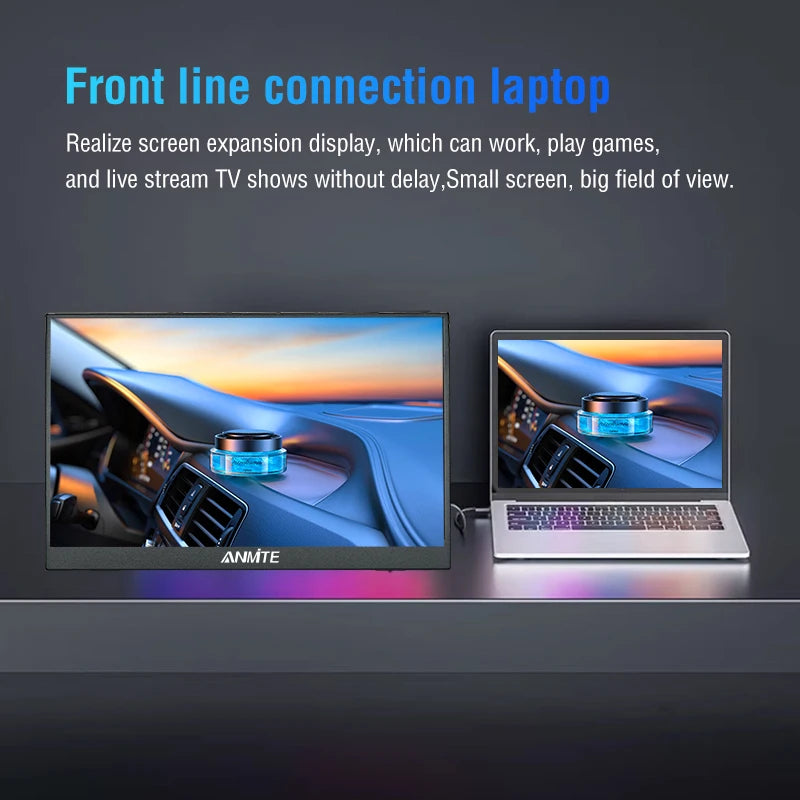
The Anmite A160W03T delivers a crisp 1920×1200 display in a slim, portable package. Whether you're gaming on Xbox or PS5, working remotely, or extending your laptop screen, this 16-inch monitor is ready for any setup.
Key Features
- 1920×1200 Full HD+ Resolution: 16:10 aspect ratio for more vertical screen space
- HDR10 Support: Richer contrast and more vivid colors
- 100% sRGB Color Gamut: True-to-life colors with 8-bit depth for smooth gradients
- Touch or Non-Touch: Choose the version that fits your needs — touch version supports multi-touch input
- 60Hz Refresh Rate with AMD FreeSync Pro: Smooth, tear-free visuals
- 350 Nits Brightness: Clear visibility in most environments
- 178° Viewing Angle: IPS panel with wide-angle clarity
- Built-in Dual Speakers: Audio included, no external speakers needed
- Versatile Connectivity: Mini HDMI + USB-C — works with Xbox, PS4/5, Switch, laptops, PCs & smartphones
- Detachable Stand + VESA Mount: Flexible placement options for any workspace
In the Box
- Portable Monitor × 1
- HDMI Cable × 1
- USB-C Cable × 1
- USB to Type-C Power/Data Cable × 1
Technical Specifications
- Display Size: 16 inches
- Resolution: 1920×1200
- Panel Type: IPS (WLED backlight, matte screen)
- Refresh Rate: 60Hz with AMD FreeSync Pro
- Brightness: 350 cd/m²
- Color Gamut: 100% sRGB, 8-bit
- HDR: HDR10
- Viewing Angle: 178° H / 178° V
- Ports: Mini HDMI, USB-C
- Certifications: CE, FCC, RoHS
- Model: A160W03T
Touch Function Guide
- USB-C connection: Requires USB-C 3.1+ or Thunderbolt 3 port for touch support
- HDMI connection: Connect HDMI for video + a separate USB cable for touch input
- Touch version only — please select the correct version before ordering
- iPhone 15 Pro can mirror screen but does not support touch or vertical mode
Common Questions
- No signal? Check if your USB-C port supports DisplayPort Alt Mode or use a Mini HDMI cable instead
- Screen flickering? Use a 30W+ PD power adapter for stable power delivery
- Using HDMI? Must connect a separate USB power cable — HDMI does not supply power
- Vertical screen? Set rotation in your device's display settings, not on the monitor itself
Share